
Disposal of an asset

Step 1 – Set up an account in Xero for profit/ loss on disposal
If an account is not already set up in Xero, this can be done by following the steps below:
Accounting -> Chart of Accounts -> Add Account
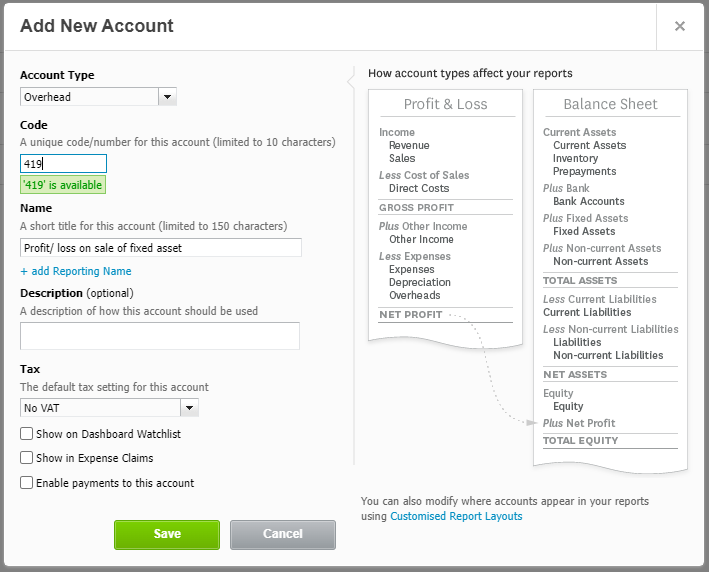
Click Save
Step 2 – Disposal of an asset
Accounting -> Advanced -> Fixed assets
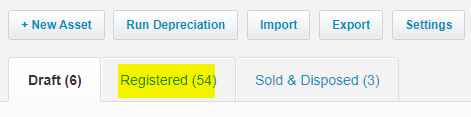
Click on the Registered tab
Click on the asset number to open the asset details

Click on the Options dropdown menu -> Dispose
Enter the details of the disposal:
a. Date disposed
b. Sales Proceeds (Type 0 if no proceeds/ the asset is donated)
c. Sales Proceeds Account (Choose Profit/ Loss on disposal of asset)
d. Depreciation (depends on the policy, you could choose ‘All depreciation up to and including’)
e. Date (If choosing ‘All depreciation up to date and including’ in the step above, enter the date of disposal)

Click on Show Summary
Review the disposal summary. If you need to make any changes, click Update to see the revised disposal summary.
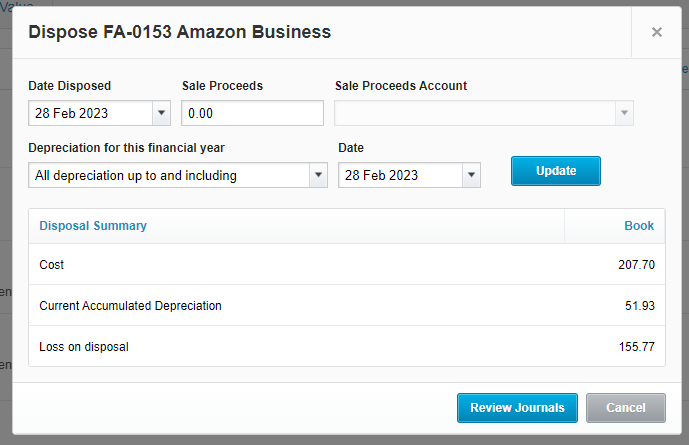
Click on Review Journals
Select the account ‘Profit/ loss on disposal of asset’
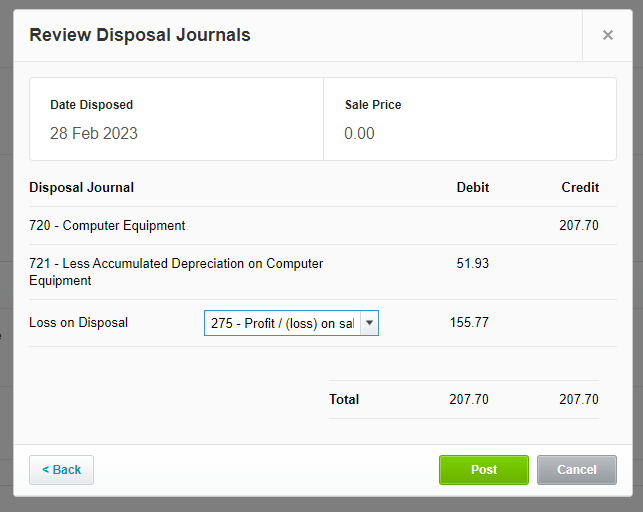
Click Post

The asset will now be shown under ‘Sold and Disposed’
Nothing on this page is intended to be or should be construed or taken as accountancy, investment, tax or any other kind of advice. We recommend individuals and companies seek professional advice on their circumstances and matters.
-

Guidance on parent companies involved in UK company transactions
23 February 2026
When a non-UK parent company pays suppliers or contractors on behalf of a UK subsidiary there are tax, accounting and legal issues to watch out for.
Bookkeeping and Others
-
Xero Fixed Assets: Complete Guide for Tangible & Intangible Assets
10 November 2025
Track, manage, and depreciate assets properly in Xero – and avoid costly mistakes!
Bookkeeping and Xero guide
-

Complete guide to Xero CIS
10 November 2025
For UK Contractors & Subcontractors under the Construction Industry Scheme
Bookkeeping, Others and Xero guide