
PVA Adjustment in the VAT Return

For information on CDS and PVA, please see the article in Client Bites.
Step 1: Obtain PVA statement
Obtain the monthly postponed import VAT statement for the quarter from the client.
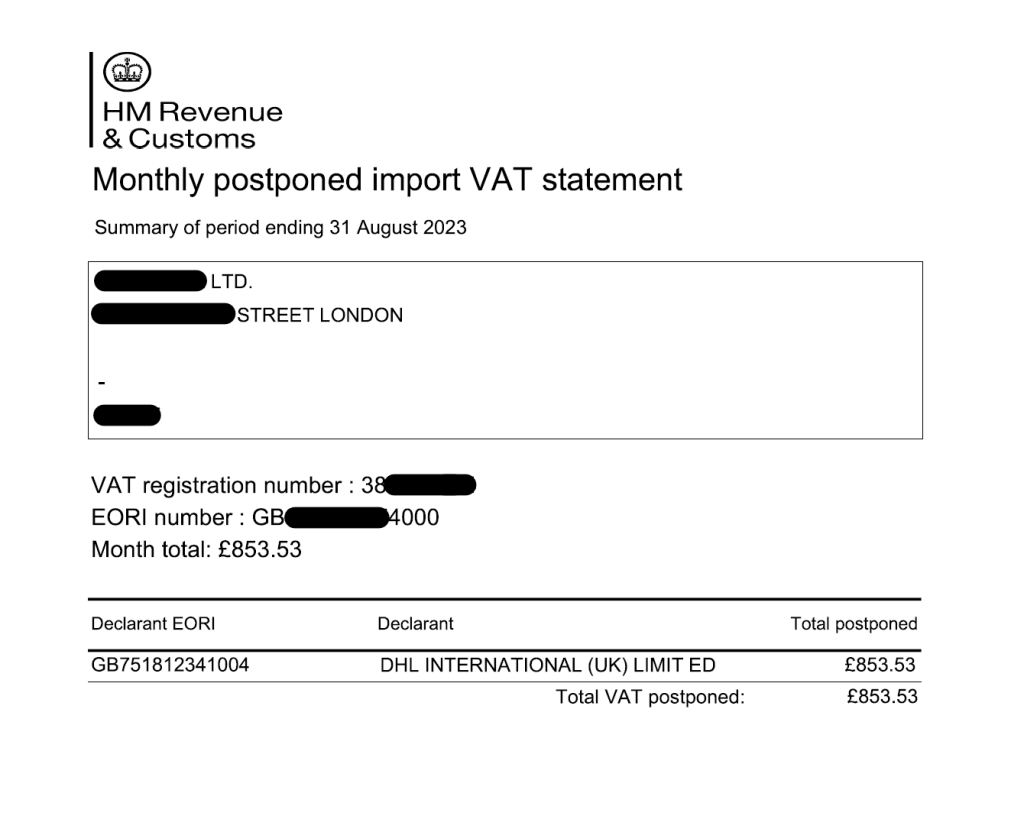
Step 2: Adjust the VAT return
In the VAT return, click “Apply Postponed VAT Accounting (PVA) adjustments”

Step 3: Apply PVA adjustments
Enter details from the PVA statement obtained in Step 1. Also upload the PVA statement.

Step 4: Click Save
Once all the details are entered and the statement uploaded, click Save.
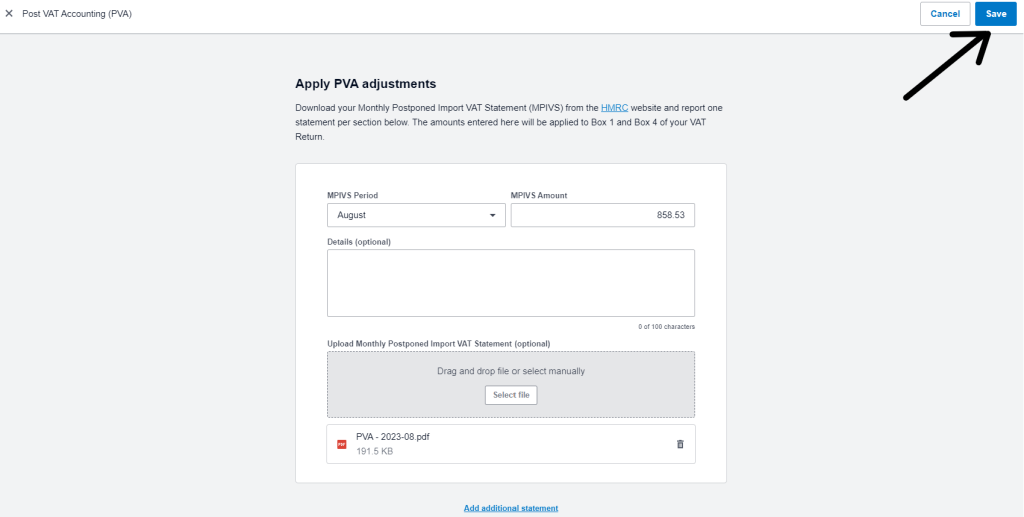
You will need to do one adjustment per PVA statement.
Step 5: Submit to HMRC
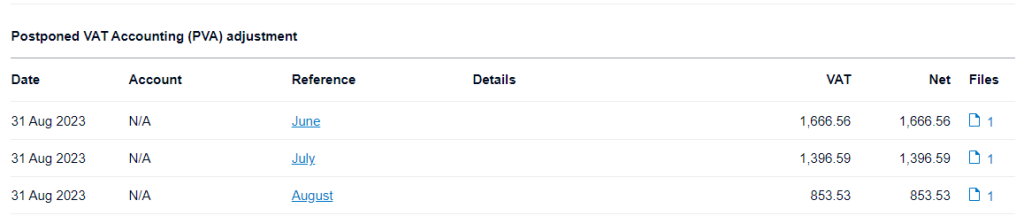
The PVA adjustment will now show within Boxes 1 and 4.
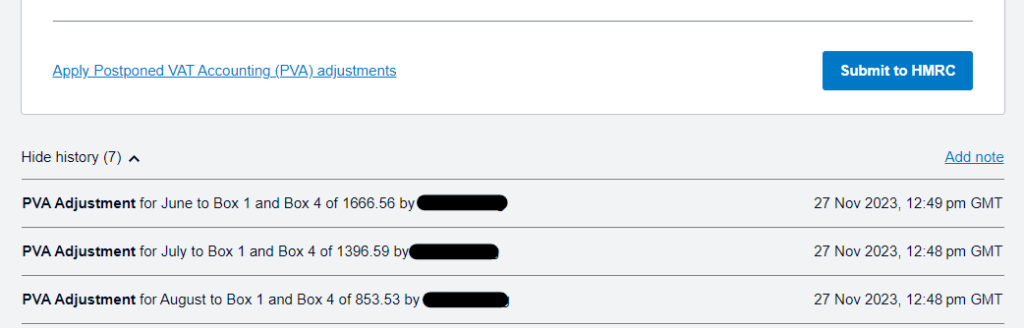
Once you are happy with the VAT return, click “Submit to HMRC“.
Nothing on this page is intended to be or should be construed or taken as accountancy, investment, tax or any other kind of advice. We recommend individuals and companies seek professional advice on their circumstances and matters.
-

Guidance on parent companies involved in UK company transactions
23 February 2026
When a non-UK parent company pays suppliers or contractors on behalf of a UK subsidiary there are tax, accounting and legal issues to watch out for.
Bookkeeping and Others
-
Xero Fixed Assets: Complete Guide for Tangible & Intangible Assets
10 November 2025
Track, manage, and depreciate assets properly in Xero – and avoid costly mistakes!
Bookkeeping and Xero guide
-

Complete guide to Xero CIS
10 November 2025
For UK Contractors & Subcontractors under the Construction Industry Scheme
Bookkeeping, Others and Xero guide