
Write off bad debts in Xero
When a client confirms an invoice to be a bad debt, please follow the steps below to correctly account for it in Xero.
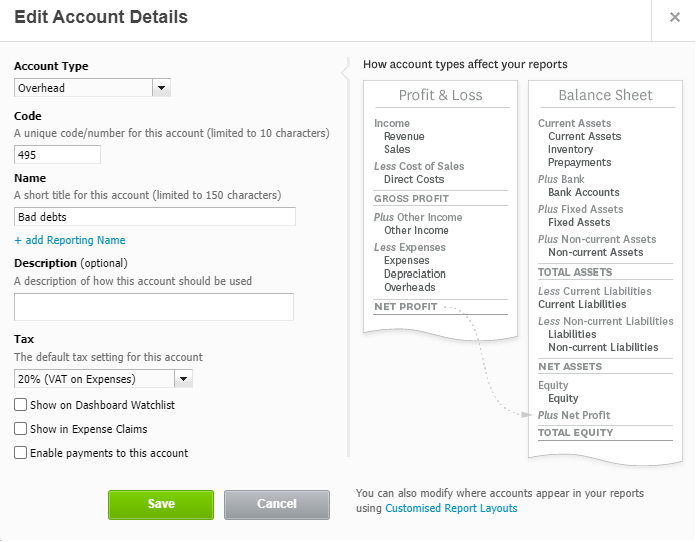
STEP 1: In the absence of an existing Bad Debts account in Xero, create one in Chart of Accounts as follows:
Account type: Overhead
Code: Any code between 450 – 500
Name: Bad debts
Tax: 20% (VAT on Expenses)
STEP 2: Create a credit note
In the sales invoice that requires to be written off, click on the drop down menu “Invoice Options” and choose “Add Credit Note”

To: Client name
Date: When client confirmed the bad debt relates to
Credit Note # : Applied automatically
Reference: Bad debts
Description: Bad debts per client email dated xxx
Unit price: Amount of bad debt
Tax rate: Choose the same VAT rate as the original invoice
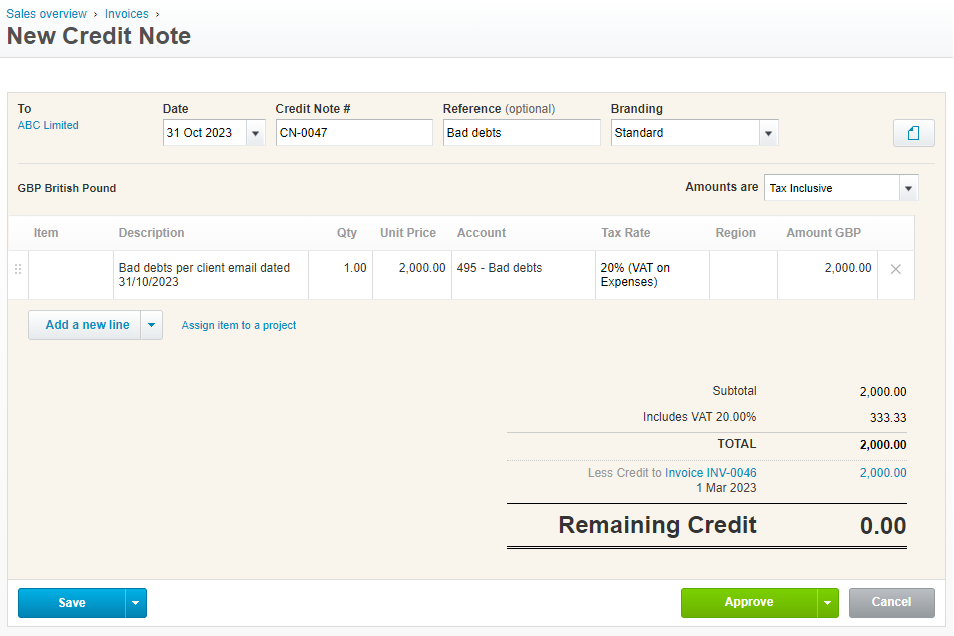
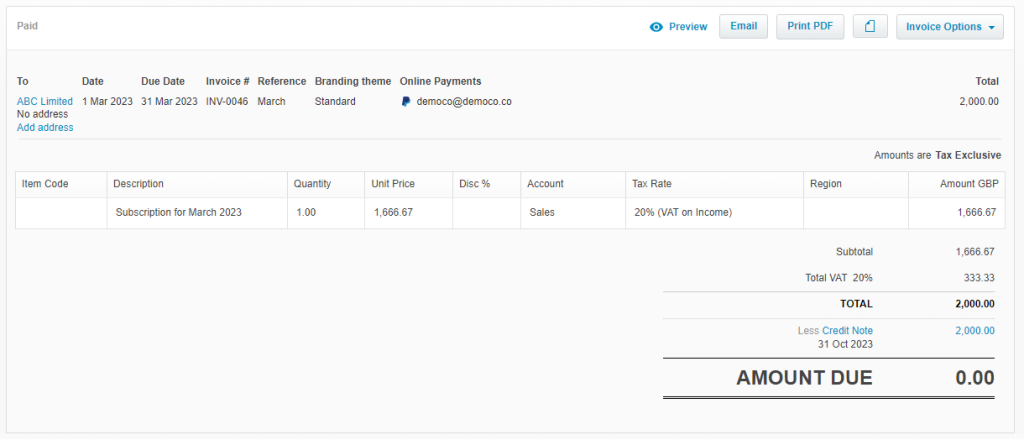
Once the credit note is approved, it will automatically be allocated to the invoice.
Nothing on this page is intended to be or should be construed or taken as accountancy, investment, tax or any other kind of advice. We recommend individuals and companies seek professional advice on their circumstances and matters.
-

Guidance on parent companies involved in UK company transactions
23 February 2026
When a non-UK parent company pays suppliers or contractors on behalf of a UK subsidiary there are tax, accounting and legal issues to watch out for.
Bookkeeping and Others
-
Xero Fixed Assets: Complete Guide for Tangible & Intangible Assets
10 November 2025
Track, manage, and depreciate assets properly in Xero – and avoid costly mistakes!
Bookkeeping and Xero guide
-

Complete guide to Xero CIS
10 November 2025
For UK Contractors & Subcontractors under the Construction Industry Scheme
Bookkeeping, Others and Xero guide